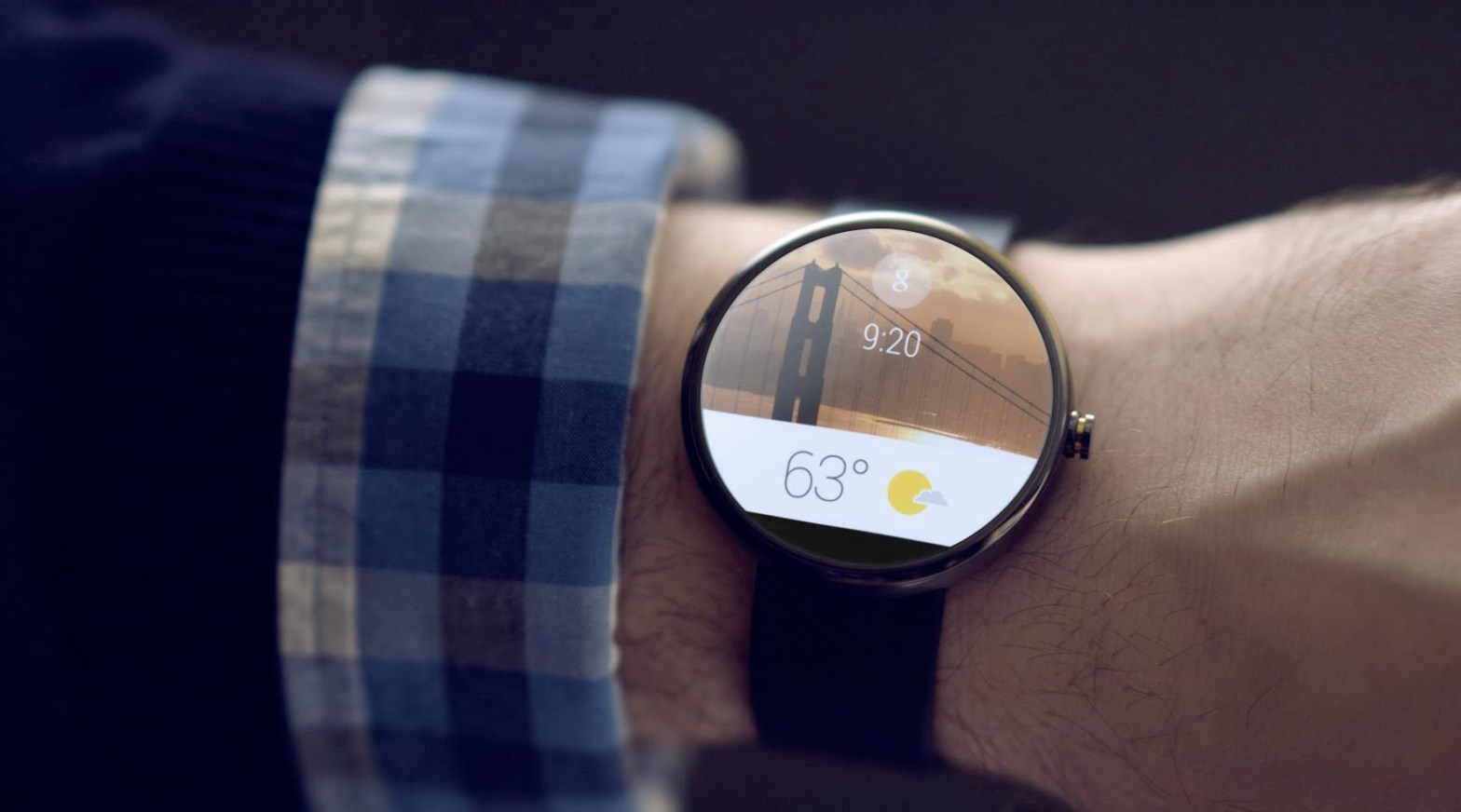
The Android Wear APIs are pretty damn cool. That said, I’m still struggling with the usefulness of spending money for a watch with less functionality than a phone… When your phone is in your pocket and your watch is on your wrist. What’s the point???
In all seriousness- Google is usually ahead of the curve when it comes to software trends. The coming internet of things revolution is most certainly going to make operating systems on watches, TVs, cars, refrigerators, dogs, cats etc etc ubiquitous. Udacity has an entire course section dedicated to ubiquitous computing (full disclosure: I’m taking the Android nanodegree program). As programmers we need to stay ahead of the waves so our skills remain in demand. Learning how to use the wearable APIs is one example of doing just that.
This post will kick off a series of blog posts demonstrating how to create both a wearable app and a watch face that receive and display data from an app running on your phone. It’s damn cool (even though I’m still questioning the current usefulness).
Let’s get started!
My top-level build.gradle looks like this:
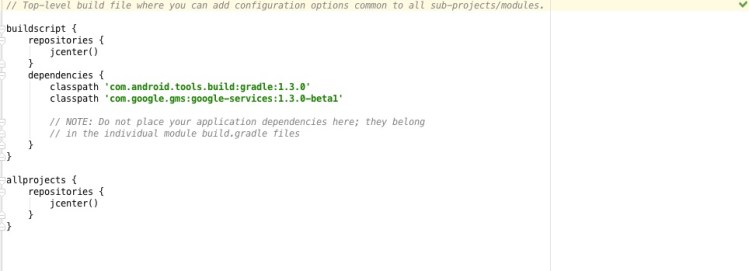
I am using an app that I developed previously with the Udacity nanodegree program. Here is the app’s build.gradle:

Also, here is the github repository for the app (named “Sunshine”):
https://github.com/udacity/Advanced_Android_Development/tree/7.05_Pretty_Wallpaper_Time
What we want to develop is both a watch face and a wearable app that updates with the latest weather info, (highs, lows and a weather dependent image) pulled by the app running on the phone.
In order to do this we need to use the wearable data layer API.
It is simple to set up. Here’s how I did it.
The Sunshine app uses a bunch of advanced back-end android classes to ensure that everything runs smoothly, including loaders, a content provider and a sync adapter. For our purposes I decided to use the sync adapter to shuttle the needed data off to the wearable.
In the onPerformSync method of the SunshineSyncAdapter, I included this code:
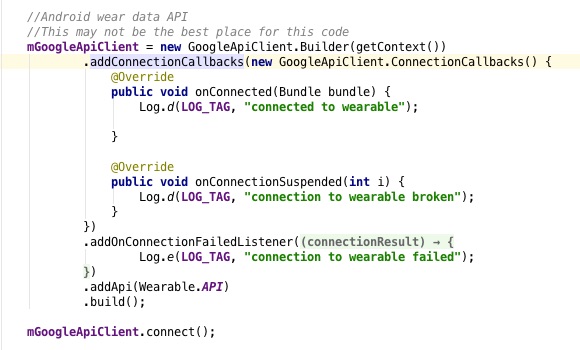
This code initializes a class level field with an anonymous callback class. The methods of the callback just log messages so that we can debug any problems.
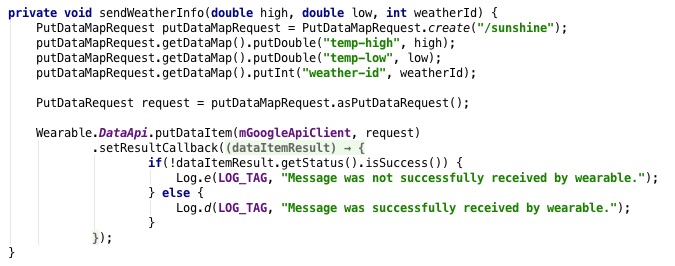
Here is the meat of creating a data object. It’s straightforward (thank you Google). We get an instance of a PutDataMapRequest and give it a path name (“/sunshine”). Each of the necessary data items get “put” into the map. Then, we have to create a request from the map.
We call the Wearable data api with our previously created GoogleApiClient and our newly created request. Usefully, callback methods are provided, but here we’re just logging messages for debug purposes.
Finally, we have to call sendWeatherInfo with our data. This presented an interesting engineering problem because we only want to update the data on the wearable with the current day’s information AND we only want to update when the phone pulls the data. After some thinking I decided the best place to do this was from inside the notifyWeather() function. Notify weather pushes a notification on the phone (so it’s both showing the current day’s weather and only pushing it out once).
So, I call sendWeatherInfo() from inside the notifyWeather() method with the same parameters that notifyWeather() is using to send push notifications. Voila! Our wearable is receiving data.
This is how to implement this functionality on the phone side. I’ll cover implementing on the receiver side in later posts.
Let me know if you have any questions!
 the paranoid android
One thought on “Android Wearable Watch Apps and Faces”