
In the last post we discussed our lightning component and how it enables us to interact with the Intuit Oauth2 authentication system. If you haven’t seen that one yet you can check out part 2 here. (Also, here’s part 1).
Today we’re going to dive in to the code for contacting the Intuit Oauth2 system and how we get an access token.
The system requires a multi-step authentication system and it is not a trivial design.
We need to contact the Intuit Oauth2 API with both our client Id and our consumer secret (these can be created through the Quickbooks developer account).
We’ll include both of these as parameters in the URL.
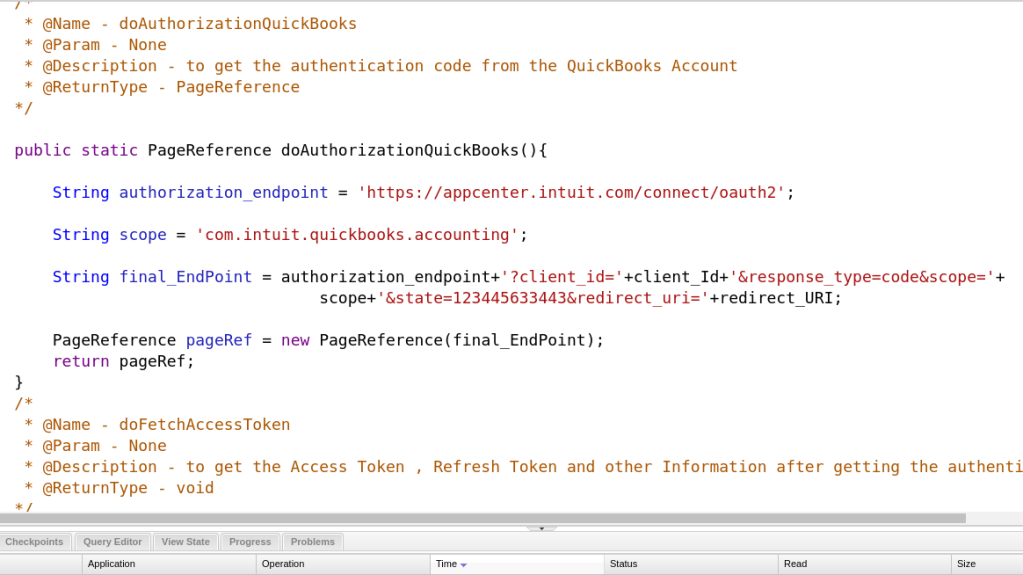
Our doAuthorizationQuickBooks method returns a PageReference object. This will be the page where we can log in to Quickbooks.
Once we enter our login info and successfully login to Quickbooks, we will receive the access token.
This is the method that completes the connection process:

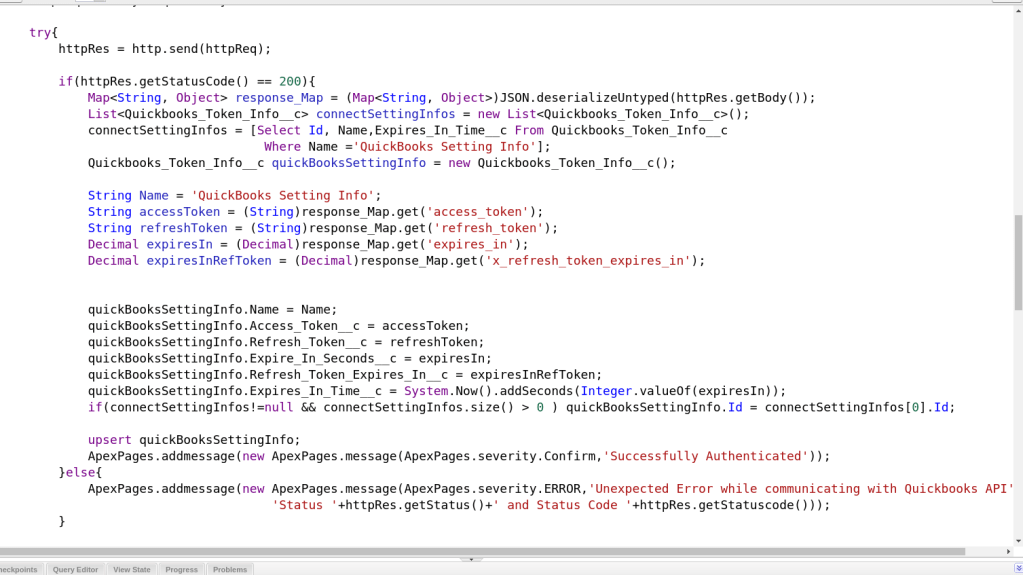
This code is pretty straightforward, just a simple network call. Once we receive the token we save it as an object on our Salesforce system so we can access it when we make API calls to Quickbooks.
That’s about it for handling the Intuit Oauth2 security!
 the paranoid android
One thought on “Integrating Salesforce Orders With Quickbooks Pt. 3”